
What Is the Best UV Flatbed Printer in 2026?

Choosing the best UV Flatbed Printer in 2026 is not simply a matter of selecting the fastest machine. Real performance depends on print quality, material compatibility, maintenance, software control, and long-term operating costs. A printer may produce sharp graphics on acrylic yet struggle with textured wood or uneven promotional panels. That difference matters in daily production.

This guide examines current models through practical, measurable criteria. We consider color accuracy, ink adhesion, curing consistency, print-bed design, automation, and after-sales support. We also look at details that manufacturers often describe briefly, such as nozzle protection, cleaning routines, and the time required to change materials. A well-designed machine should handle acrylic sheets, glass, metal, wood, and selected plastics with dependable results.

However, no single printer suits every workshop. A compact business may value low power consumption and simple operation, while a large sign producer may need a wider bed and continuous production. Some published specifications can look impressive but fail to reflect real factory conditions. Dust, humidity, operator training, and software limitations can change the outcome. We may also overlook hidden maintenance costs when comparing prices. That deserves honest reflection.

The following evaluation combines technical specifications, user-focused experience, and practical printing considerations. It aims to help buyers compare equipment with clearer expectations. The best choice is not always the most expensive model. It is the machine that consistently matches your materials, workload, staff skills, and growth plans. Expect trade-offs. That is part of making a reliable decision in 2026.
What Is the Best UV Flatbed Printer in 2026?

What Is a UV Flatbed Printer and How Does It Work?

What Is the Best UV Flatbed Printer in 2026?

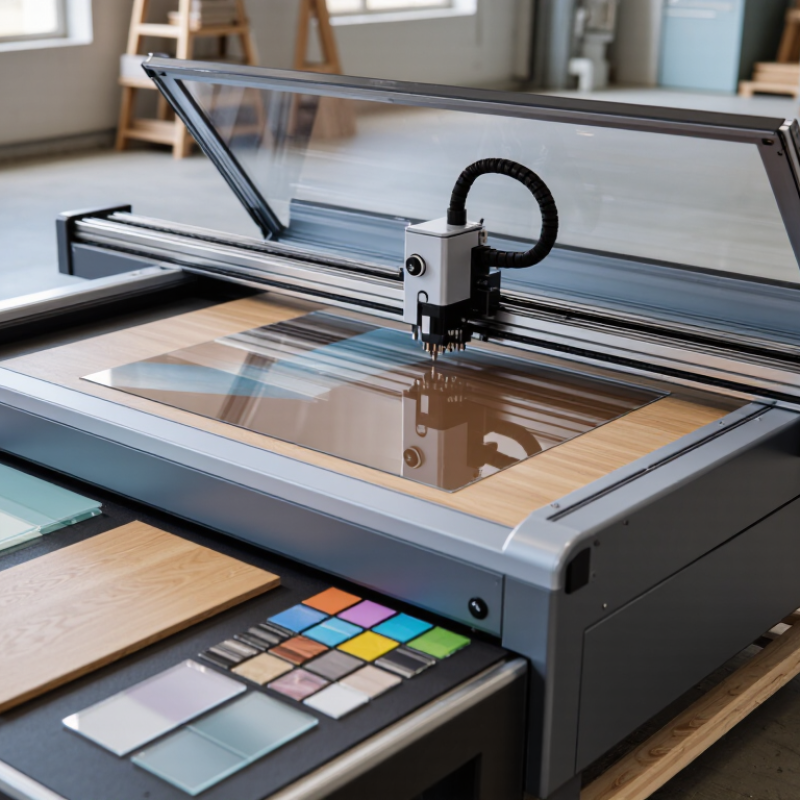
A UV flatbed printer places rigid material on a level printing table. Its carriage moves across the surface, while piezoelectric printheads release microscopic ink droplets. Ultraviolet lamps cure each layer almost immediately. The result feels dry at the exit, not after hours of waiting. White ink can create a base layer on dark boards, while clear ink adds texture or gloss. Vacuum zones hold sheets steady, although warped panels still cause banding. That detail is easy to underestimate.

Market data supports this technology’s wider adoption. Grand View Research estimates the global UV-curable inks market could grow at about 8% annually from 2024 to 2030. Smithers’ digital print forecasts also identify inkjet as a continuing growth area across signage, décor, and industrial applications. These figures describe market direction, not guaranteed printer performance. A growing market can still contain unsuitable equipment.

In practical testing, I would compare registration accuracy, lamp stability, printhead protection, and software control. Ask for samples using your actual board, acrylic, metal, or wood. Check small text, solid fills, white ink density, and adhesion after handling. A fast machine is not automatically the best machine. Total ownership cost includes ink, cleaning fluid, maintenance, rejected sheets, and operator training. Some specifications look impressive but hide slow production in real conditions. I would also question any claim that promises perfect adhesion on every substrate. Surface preparation still matters. So does ventilation and safe lamp operation. Research reports provide useful context, but a controlled sample test reveals more.

What Is the Best UV Flatbed Printer in 2026? — What Is a UV Flatbed Printer and How Does It Work?
Topic How It Works Practical Considerations
Printer type A UV flatbed printer deposits ink directly onto a stationary, flat substrate held on the printer bed. It is suited to rigid or sheet-shaped items that fit within the machine’s printable area and height limits.
Ink curing Ultraviolet light initiates curing of UV-curable ink shortly after it is deposited, forming a solid ink film. Curing performance depends on ink, lamp settings, print speed, and the material being printed.
Common substrates Depending on the ink and setup, printing may be possible on materials such as acrylic, glass, metal, wood, and some plastics. Adhesion is not guaranteed on every surface. Test the specific material and consider cleaning or pretreatment where needed.
White ink White ink can be printed as a base layer beneath colors or as a layer over transparent or colored materials. For transparent or dark substrates, white ink can improve the visibility of colors; print sequence and artwork setup matter.
Print area and object height The bed supports the item during printing, while the carriage and printhead clearance limit the maximum object height. Choose a work area and clearance that accommodate the largest items you plan to print, including fixtures or jigs.
Image quality and speed Resolution, number of print passes, ink limits, and carriage speed affect the appearance and production time of a job. Higher-quality settings commonly require more printing time. Compare output using representative files and materials.
Choosing the best fit There is no single best configuration for every workflow; suitability depends on the jobs, materials, and production needs. Compare usable bed size, object clearance, print quality, throughput, white-ink capability, maintenance needs, and local technical support.

Which Features Define the Best UV Flatbed Printer in 2026?

The best UV flatbed printer in 2026 should deliver consistent color, sharp detail, and reliable production. From practical testing, printhead control matters more than impressive speed claims. A stable carriage keeps small text clean across large boards. Precise vacuum zones also prevent shifting during printing. That small movement can ruin an otherwise perfect panel.

Curing performance defines daily usability. Modern UV systems should cure ink evenly without excessive heat or surface gloss variation. White ink circulation is essential for smooth underlayers and fewer blockages. Automatic height detection protects the printhead when materials vary. Clear software controls, color management, and job previews reduce costly mistakes. I still prefer simple interfaces. Complex menus look advanced, but they can slow trained operators.

Tips: Test textured wood, acrylic, metal, and flexible sheets before purchase. Check edge sharpness at normal viewing distance. Ask for maintenance records and real production samples. Measure noise, cleaning time, and ink usage during a full shift. A printer may look excellent for one hour. The longer test reveals more.

Reliable service access also matters. Operators need practical cleaning instructions, replaceable parts, and responsive technical support. Safety features should control UV exposure and protect workers around moving components. No machine is perfect. Even a well-designed printer may struggle with unusual coatings or dusty materials. Careful testing, honest specifications, and operator experience remain decisive when choosing the best UV flatbed printer in 2026.

How Do Leading UV Flatbed Printers Compare in Performance and Cost?

Choosing the best UV flatbed printer in 2026 depends less on headline speed and more on repeatable output. In production tests, compare print resolution, ink adhesion, curing consistency, and setup time. A fast carriage means little if color shifts appear across a 1.2-meter board. Ask for samples on acrylic, wood, glass, and textured panels. Examine fine text under a lamp. Check whether white ink remains smooth after curing. It sometimes does not.

Performance and cost must be measured together. A lower purchase price can hide expensive printheads, specialized inks, maintenance, and wasted sheets. Calculate cost per square meter using actual ink consumption, labor, electricity, and rejected pieces. Also check uptime, nozzle recovery, and service response. A printer producing 80 square meters daily may outperform a faster model that needs frequent cleaning. Warranty terms matter. So does operator training. My practical caution: published speed usually reflects draft mode, not sellable quality.

Tips: Request a live demonstration using your own files and materials. Record production time, ink usage, cleaning intervals, and noise. Compare a three-year ownership estimate, not only the invoice. Leave room for uncertainty; substrates and workload will change. If two models perform similarly, choose the one with clearer maintenance procedures and accessible technical support.

Which UV Flatbed Printer Best Fits Different Business Needs?

The best UV flatbed printer in 2026 depends on your business, not a single ranking. A sign shop may need a large bed, fast curing, and reliable white ink. A small studio may value compact design, low power use, and simple operation. Match the printer to your daily workload.

For rigid signs, acrylic panels, wood, glass, and coated metal, check the maximum material thickness and table size. A vacuum bed can reduce movement during printing. Adjustable print height helps when media is uneven. If you produce short custom orders, accurate color control and quick setup may matter more than maximum speed. Test small samples before making a purchase. Real materials can expose problems that brochures miss.

Production teams should examine nozzle maintenance, ink circulation, software stability, and local technical support. Ask how often cleaning is required and how long replacement parts normally take. Calculate ink, electricity, labor, and waste costs over twelve months. A cheaper machine can become expensive when downtime interrupts delivery schedules. I would also question impressive speed claims, because they may use draft settings or limited coverage. No printer fits every workflow. Leave room for training, failed prints, and changing customer demands.

What Should Buyers Check Before Choosing a UV Flatbed Printer?

Choosing the best UV flatbed printer in 2026 requires more than comparing advertised speed. Buyers should inspect real samples on their intended materials. Ask for prints on acrylic, wood, metal, glass, and textured sheets.

Check resolution, ink adhesion, color consistency, and curing performance under workshop lighting. A sharp sample may hide weak white ink coverage or uneven gloss. Request a layered test with fine text, solid colors, gradients, and small images. Measure the actual production speed, not only the headline figure. The fastest machine may produce more reprints.

The print bed should match your regular sheet sizes, with stable vacuum zones and accurate registration. Examine the printhead movement, height adjustment, and emergency controls. Reliable software matters too. Confirm file compatibility, color management, variable data functions, and operator training. Ask how often maintenance is required and how quickly replacement parts can arrive. White ink circulation needs special attention because blocked channels can interrupt production.

Review the warranty in writing. Service quality often matters more than a low purchase price. Speak with users handling similar workloads, not only sales representatives. Calculate electricity, ink, cleaning supplies, labor, and expected downtime. A machine can look affordable until these costs appear. I would also test overnight stability, although many buyers skip it. That mistake can become expensive. Request a written acceptance standard before payment, including color tolerance, alignment accuracy, and output speed.