

SmartCare Remote Management

Take control of the health and well-being of your connected devices by proactively managing them from a single, remote location.
Explore this Product
Overview
Get Proactive with Remote Device Care and Management
Inadequate medical device software management can delay a facility’s response to safety alerts, allow cybersecurity vulnerabilities to be exploited and impact patient safety.1
SmartCare Remote Management allows for more consistent and timely management of connected devices across your enterprise, so you can ensure your fleet is functioning at its finest.

How it Works*
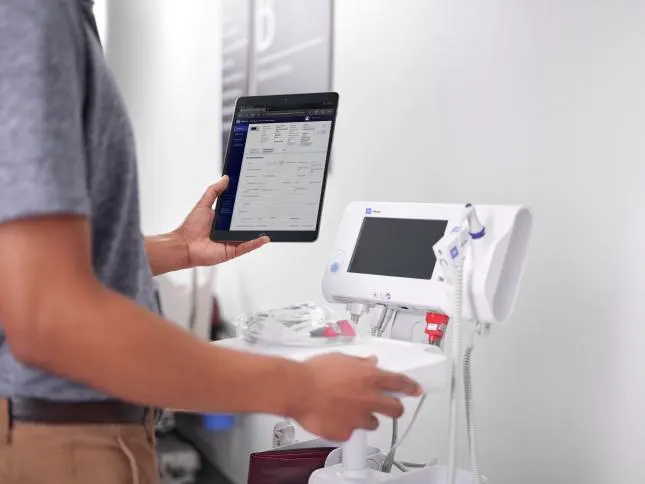
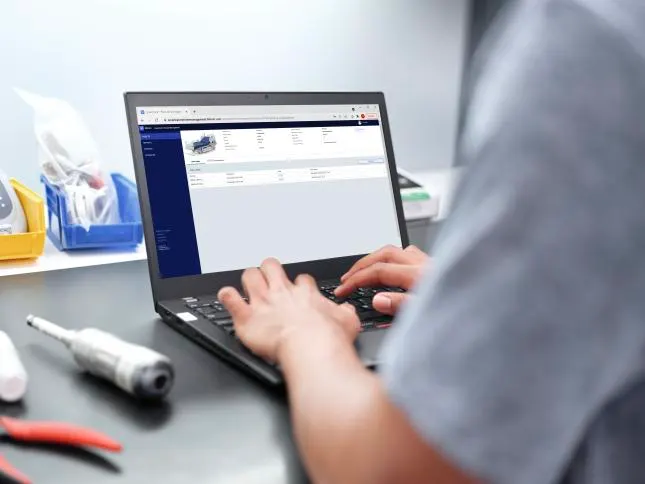
SmartCare Remote Management is a platform that enables you to remotely manage and support your Baxter products. You can access and manage device service data for your connected smart beds, stretchers and vital signs monitors from one central location*. It is a secure, cloud based system that can scale to fit your facility’s management requirements. SmartCare Remote Management never stores or transmits patient health information.
Our remote device management offering helps you address evolving clinical and service needs more quickly.**
- Deliver the latest firmware and software updates remotely
- Deploy configuration updates remotely
- Troubleshoot with ease
- Track device location
- Plan preventive maintenance
- View essential device data


Let's Reset Together
SmartCare Remote Management is a portal that’s simple to access and use, putting biomedical and clinical engineers in control of asset management, reducing the need to touch each device. This restores valuable time so critical teams can focus their efforts where they’re needed most.
Service That Scales
Whether you’re managing connected devices in one facility, or fifty, we can help. Get new control and access to your equipment, including near real-time details on deployed assets like firmware and important configurations.

Connected and Compliant
Security and compliance are vital to you and your patients. Enhance platform security and streamline user-experience with Single Sign-On (SSO) capability. Limit external touchpoints, prevent or reduce service calls from external sources, ensure your devices have the latest firmware and much more.
Evidence & Outcomes
The Lawrence Memorial Hospital (LMH), an early adopter site for SmartCare Remote Management, implemented 132 Centrella Smart+ beds connected to SmartCare Remote Management for a period of one year, which resulted in:
78%
49%
It's About Time For...

Reducing the need to physically touch each monitor, bed or stretcher
A secure system that's scalable based on your needs

Avoiding manual data entry errors by importing device data
Accessing up-to-date details on deployed assets
Features
Experience Our Secure, Cloud-Based System that Can Scale to Fit Your Facility’s Requirements
- Allows remote access and puts you in control of device management
- Access up-to-date details on deployed assets, such as firmware version, battery health, and more
- Helps address evolving clinical needs with remote configuration deployment
- Track preventive maintenance schedules to help ensure each device is maintained appropriately
- Remotely locate devices throughout facilities with Access Point mapping
- Avoid manual data entry errors by importing device data into your Computerized Maintenance Management System
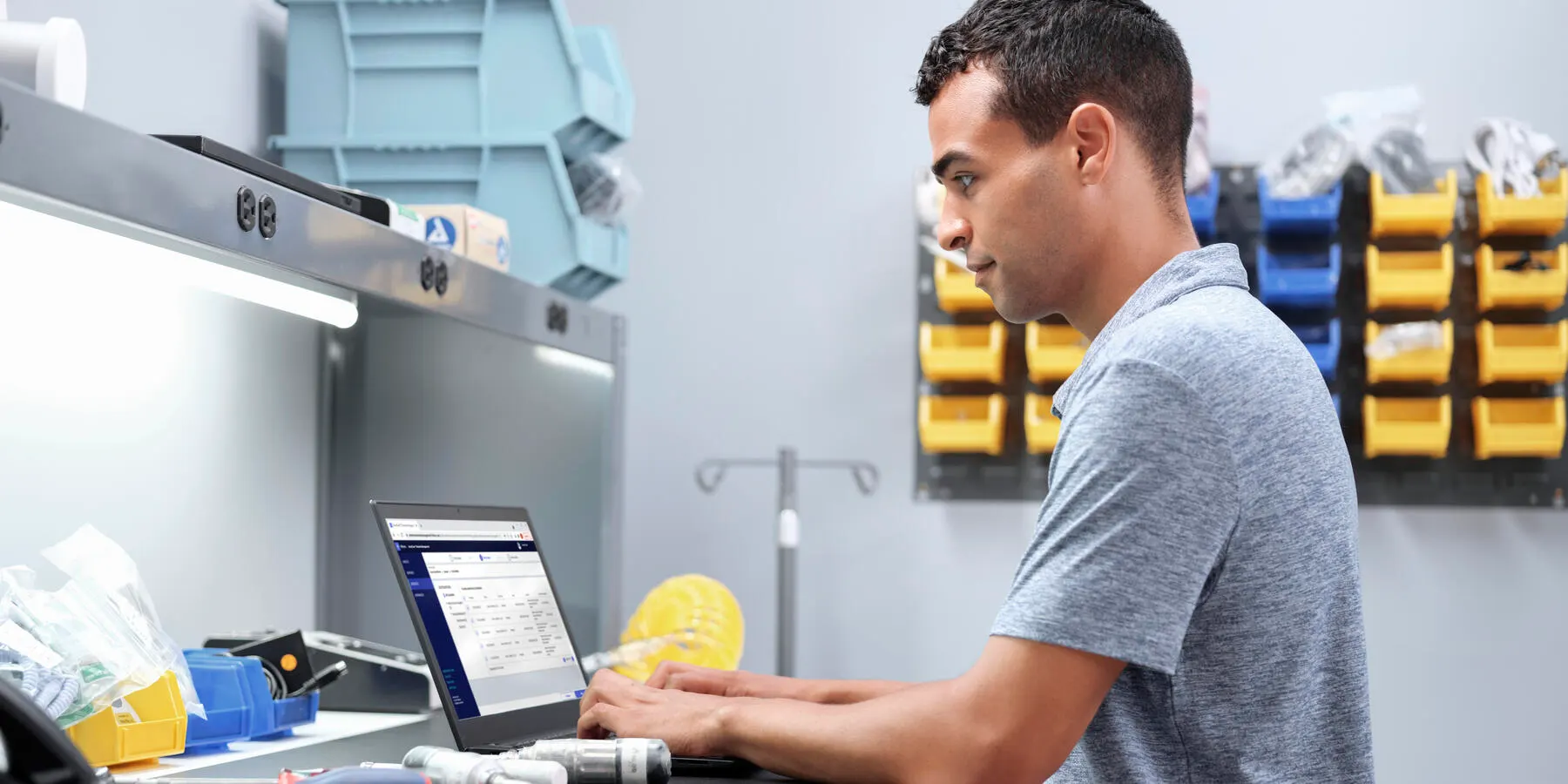
Get Relief with SmartCare Remote Management
Take advantage of these benefits with the following products:


SmartCare Remote Management
Feature Compatibility Matrix
For information about any Baxter product, contact Baxter Technical Support: www.kazihealthcare.com/contact-us.
| Feature |  |  |  |  |  |  |  |
|---|---|---|---|---|---|---|---|
| Actionable Insights | ✓ | ✓ | ✓ | ||||
| Remote log retrieval | ✓ | ✓ | ✓ | ✓ | ✓ | ||
| Preventive maintenance tracking | ✓ | ✓ | ✓ | ✓ | ✓ | ✓ | |
| View error code notifications | ✓ | ✓ | |||||
| Component health alerts | ✓ | ✓ | ✓ | ✓ | |||
| Access and print reports | ✓ | ✓ | ✓ | ✓ | ✓ | ✓ | ✓ |
| Access and deploy configuration files | ✓ | ✓ | ✓ | ✓ | |||
| Access and deploy custom data files | ✓ | ✓ | |||||
| Upgrade Firmware | ✓ | ✓ | ✓ | ✓ | ✓ | ||
| Locate connected Baxter products via access point (AP) mapping information*** | ✓ | ✓ | ✓ | ✓ | ✓ | ✓ |
*** AP mapping functionality not available for devices with Newmar radio type
Protect Your Investment
Time is money. Whether it’s ensuring your solutions are fixed correctly the first time, or improving preventive maintenance efficiencies, SmartCare Remote Management can assist you. It’s the remote portal that helps you maintain control while freeing up your team’s time to focus on more pressing repairs or urgent matters.

Additional SmartCare Remote Management Features
Simple and Scalable
Proactively manage connected devices across your enterprise from a single, remote location.
Reduce Clinical Disruptions
Help ensure devices are fixed correctly the first time.
Increase Efficiency
Remotely maintain control of your assets, while freeing up time to focus on more urgent matters.
Connected and Compliant
Secure, cloud-based system never interacts with patient health information.

Order & Support
Learn More About SmartCare Remote Management
Ordering and Support Information for SmartCare Remote Managment
Get additional ordering, customer and technical support information for our SmartCare Remote Management offering by contacting Baxter using the links below.

U.S. Catalog
To browse all Baxter products, please visit U.S. Catalog.

U.S. Support
For manuals and documentation, product training, technical support and services, submit repair and return requests or check order status for Hillrom, Allen Medical and Welch Allyn product please visit U.S. Support.
U.S. Edu
For medical information or non-promotional education about our products or therapies, please visit U.S. Edu.

Hillrom Customer Account
As an Hillrom account holder, you can still access personalized inventory tracking, media libraries and order history. For all other needs, our U.S. Support site is always available to keep you moving forward.

Contact Us
For contact details and assistance for Baxter products, report an adverse event or report a product complaint, or any other inquiries, please visit our contact us page.
Are You Ready to Take Control?
Contact us today to get started or schedule a demonstration.
Resources
SmartCare Remote Management Resources

Frequently Asked Questions
Does SmartCare Remote Device Management work for all of my Baxter devices?
SmartCare Remote Device Management is currently available for the Welch Allyn Connex Spot Monitor, Welch Allyn Connex Vital Signs Monitor, Welch Allyn Connex Integrated Wall System, Connex 360 Vital Signs Monitor, Welch Allyn RetinaVue 700 Imager, Centrella Smart+ Bed, Progressa+ ICU Bed and DynamoSeries Stretcher.
Is SmartCare Remote Management real-time?
No. Devices report service only data back to the cloud at specific frequencies. For Welch Allyn devices, the default frequency is set to every 24 hours, but can be set to a frequency as often as 5 minutes for Connex 360, and 15 minutes for Connex Spot Monitor, Connex Vital Signs Monitor, and Connex Integrated Wall System. Smart+ Beds and Stretchers will communicate to the cloud every 5 minutes unless the bed or stretcher status changes such as an error code activates, prompting data to be sent almost immediately.
Does SmartCare Remote Device Management help me locate my device?
Yes. There is a location tracking feature that will provide an approximate location of your connected device.
Can I perform preventive maintenance and calibration with SmartCare Remote Device Management?
No. You can view and update preventive maintenance dates within SmartCare Remote Device Management Software. In order to perform preventive maintenance and calibration on Welch Allyn devices, you will need to use the Welch Allyn Service Tool. In order to perform preventive maintenance and calibration on Hillrom beds, you should contact your Hillrom service personnel.
How will I know if the device firmware has been updated?
SmartCare Remote Device Management has a reporting feature that outlines the firmware status of each device so that you can confirm that the update has been completed and also follow up on the devices that have not been updated.
Can I push firmware updates to my Connex Spot Monitor or Connex 360?
Yes. With SmartCare Remote Device Management you can deliver firmware updates to the Welch Allyn Connex Spot Monitor, Welch Allyn Connex 360 and the Welch Allyn RetinaVue 700 Imager. The Welch Allyn Connex Vital Signs Monitor and the Welch Allyn Connex Integrated Wall System cannot accept remote firmware updates.
Does SmartCare Remote Device Management work with any RetinaVue camera and workflow?
No. SmartCare Remote Device Management can only be utilized with wireless RetinaVue 700 Imagers.
Does the RetinaVue 700 Imager need to be turned on when the update is pushed from SmartCare Remote Device Management?
No. When the RetinaVue 700 Imager is turned on, it will check to see whether any updates are available for upload.
Will a firmware update sent to my RetinaVue 700 Imager interrupt my exam workflow?
No. The ‘firmware update’ confirmation message will not appear during the exam workflow.
We are a large primary care organization with a mobile health services arm. Our devices are deployed in several clinics throughout the region and in the field with our mobile clinicians. Will this solution help reduce the need to deploy an IT resource to update our devices in the field or have them brought into our headquarters for firmware updates?
Yes. SmartCare Remote Device Management is designed to help you take control of device management while reducing or eliminating the need to touch each device when critical firmware updates are released.
More Products


Other Information
Disclaimers
*Features may vary per device. Contact your Baxter representative to learn more.
**Device limitations may limit certain functionality of SmartCare Remote Management.
Rx only. For safe and proper use of the product mentioned herein, please refer to the appropriate Operator’s Manual or Instructions for Use.
Baxter, Hillrom, Welch Allyn, Centrella, Connex, Connex 360, Dynamo Series, SmartCare, RetinaVue, Progressa and Voalte are trademarks of Baxter International, Inc. or its subsidiaries.
References
- ECRI Institute. (2016, November 1). Top 10 Health Technology Hazards for 2017. Plymouth Meeting, PA, United States. Retrieved from ECRI Institute: https://www.ecri.org/Resources/Whitepapers_and_reports/Haz17.pdf
- Baxter internal data on file. A total of 77 tickets were opened in a 12-month time period from July 2021 to June 2022; following implementation of SmartCare Remote Management, only 17 tickets were opened in the 12-month time period from July 2022 to June 2023.
- Baxter internal data on file. Following SmartCare Remote Management implementation, out of 175 work orders, 86 work orders were proactively generated with SmartCare Remote Management, while the remaining 89 work orders were opened by Baxter service technicians.